Coresee Events
Stream like a network.Look like you.
Broadcast to 5,000 concurrent viewers with sub-second latency and 4K quality, embedded on your own site and wrapped in your own brand. Not a third-party tool running inside your page.
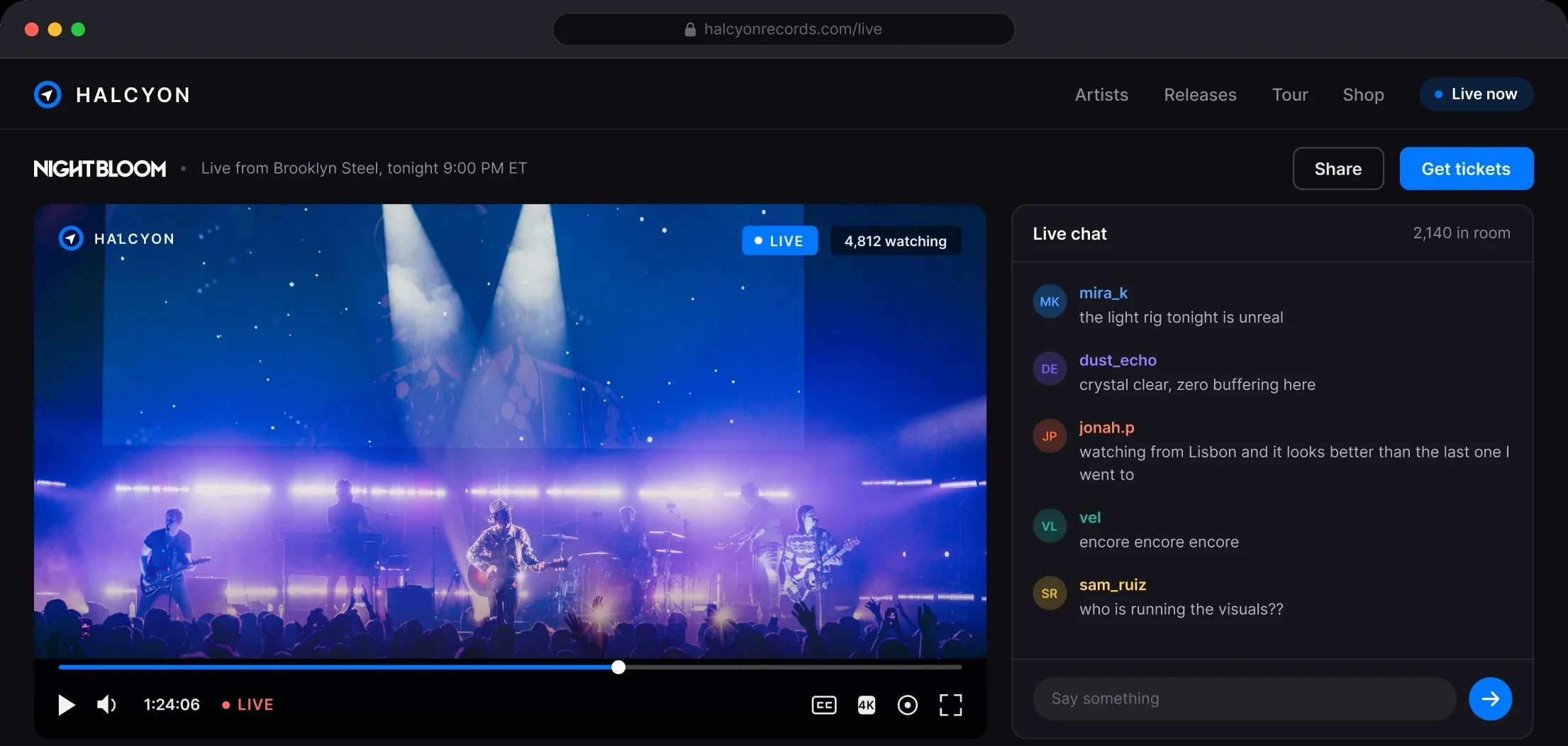
Your audience doesn't see your streaming stack. They see your brand.
Every buffer wheel, generic player, and "hosted by" badge belongs to you the moment your name is on the event. Viewers don't blame the vendor, they blame you. And they don't complain, they just leave. Coresee Events puts your brand on every stage of it: your colors, your site, your rules, at a quality worth putting your name on.
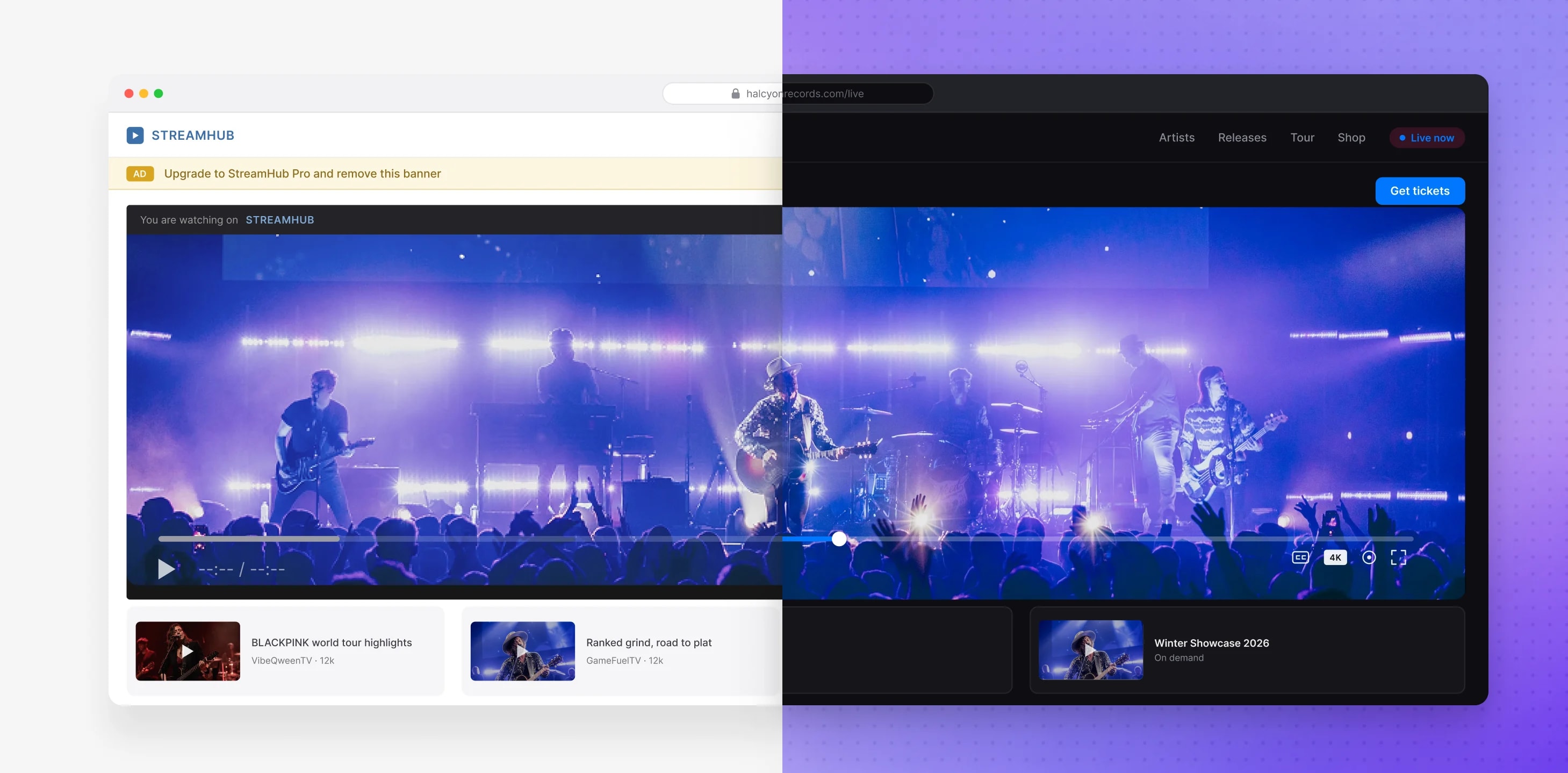

Take the director's chair
You control the experience before, during, and after the broadcast.

Scale
5,000 concurrent viewers at sub-second latency and 4K resolution. The stream holds up when the audience shows up.

Customize
Your colors, logo, and backgrounds across all four stages of the event. The announcement, lobby and post-event screens can carry nothing but your brand.

Embed
Drop the full experience into your own site with a reusable iframe. Stream-only and chat-only modes when you need them.

Connect
RTMP in and out. Bring cameras, streaming software, or a live Coresee Room straight into the broadcast.
One event, four stages, zero dead air
An event is not a video player, it is a journey. Every stage is branded and working for you, from the first click to the follow-up.
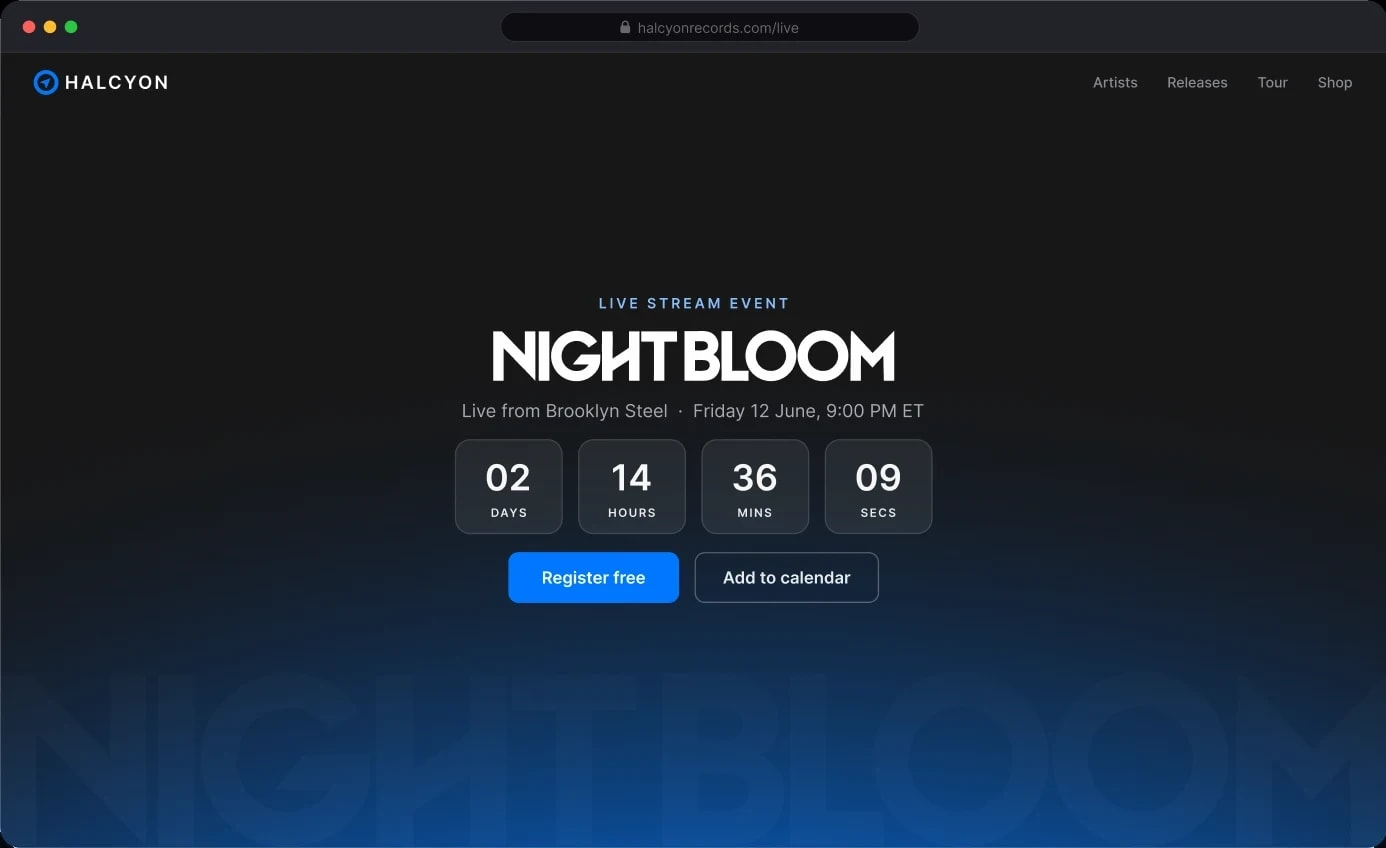
Announcement
A branded landing screen displayed before the event opens. Set the title, upload a graphic or video background, and build anticipation.
Lobby
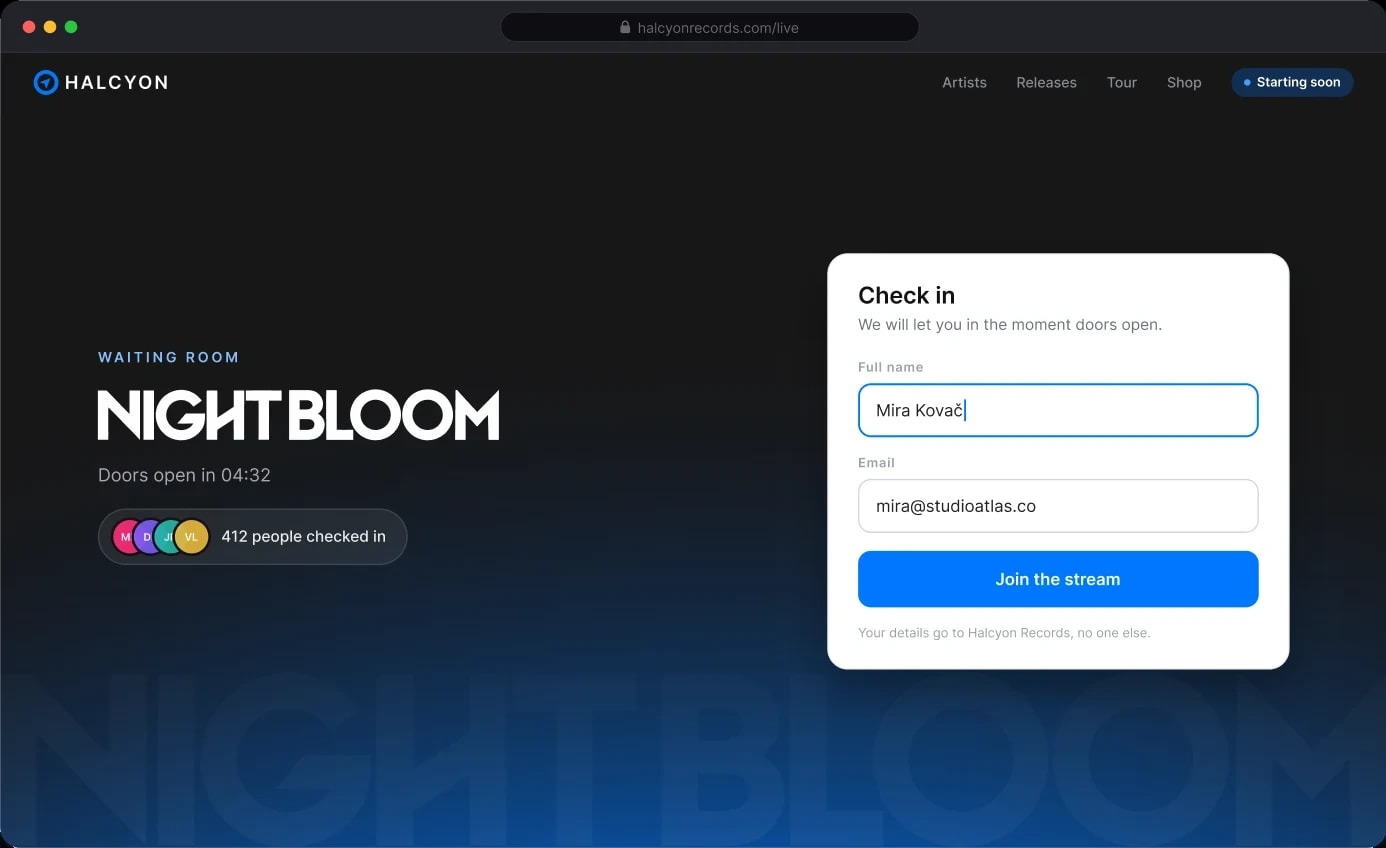
The waiting room before the broadcast begins. Collect attendee names and email addresses at entry, building your contact list automatically before the show starts. Attendees see a fully branded screen while they wait.
Live broadcast
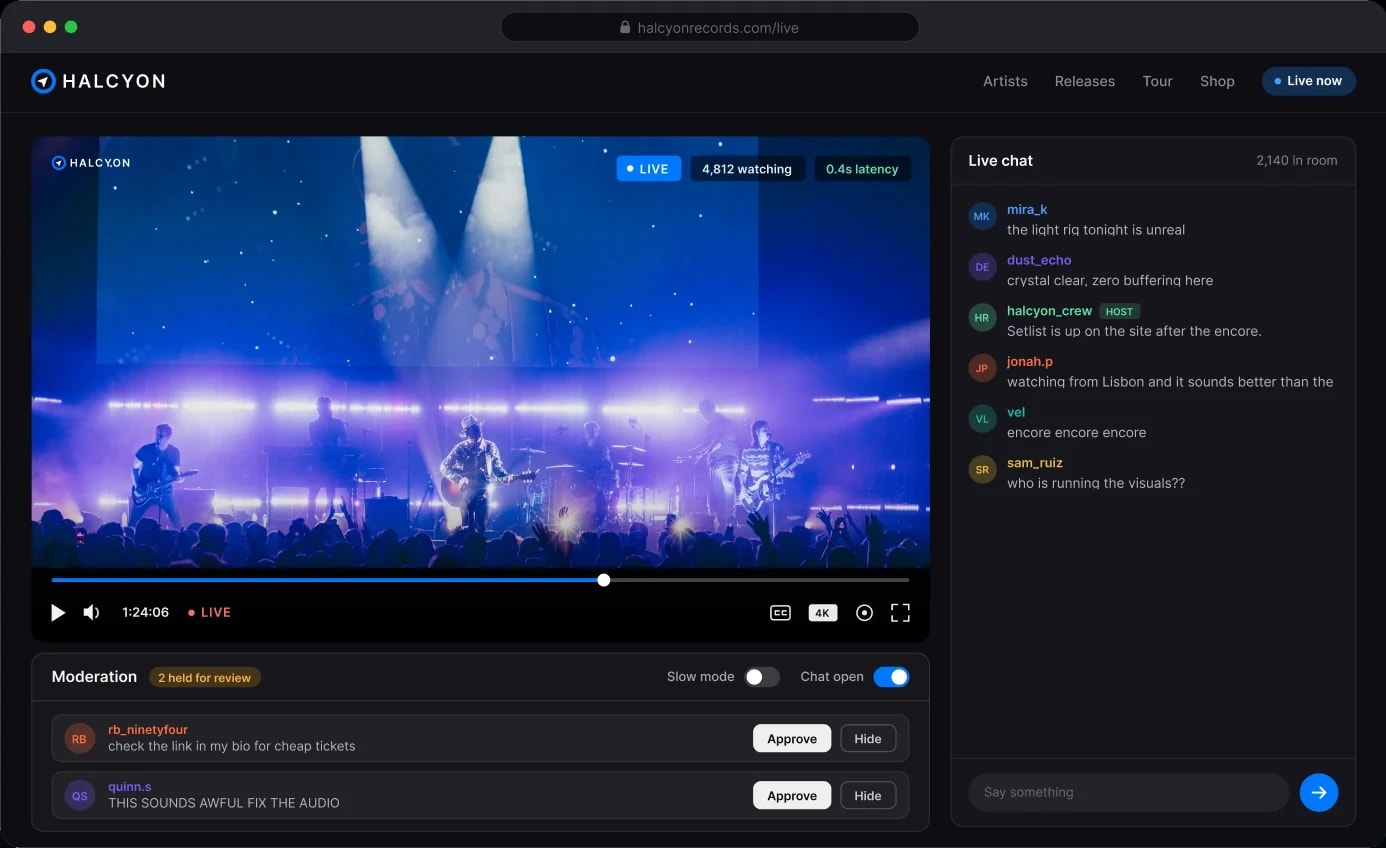
Show time, in your colors and with your logo, with sub-second latency, moderated chat and host controls in one panel.
Post-event
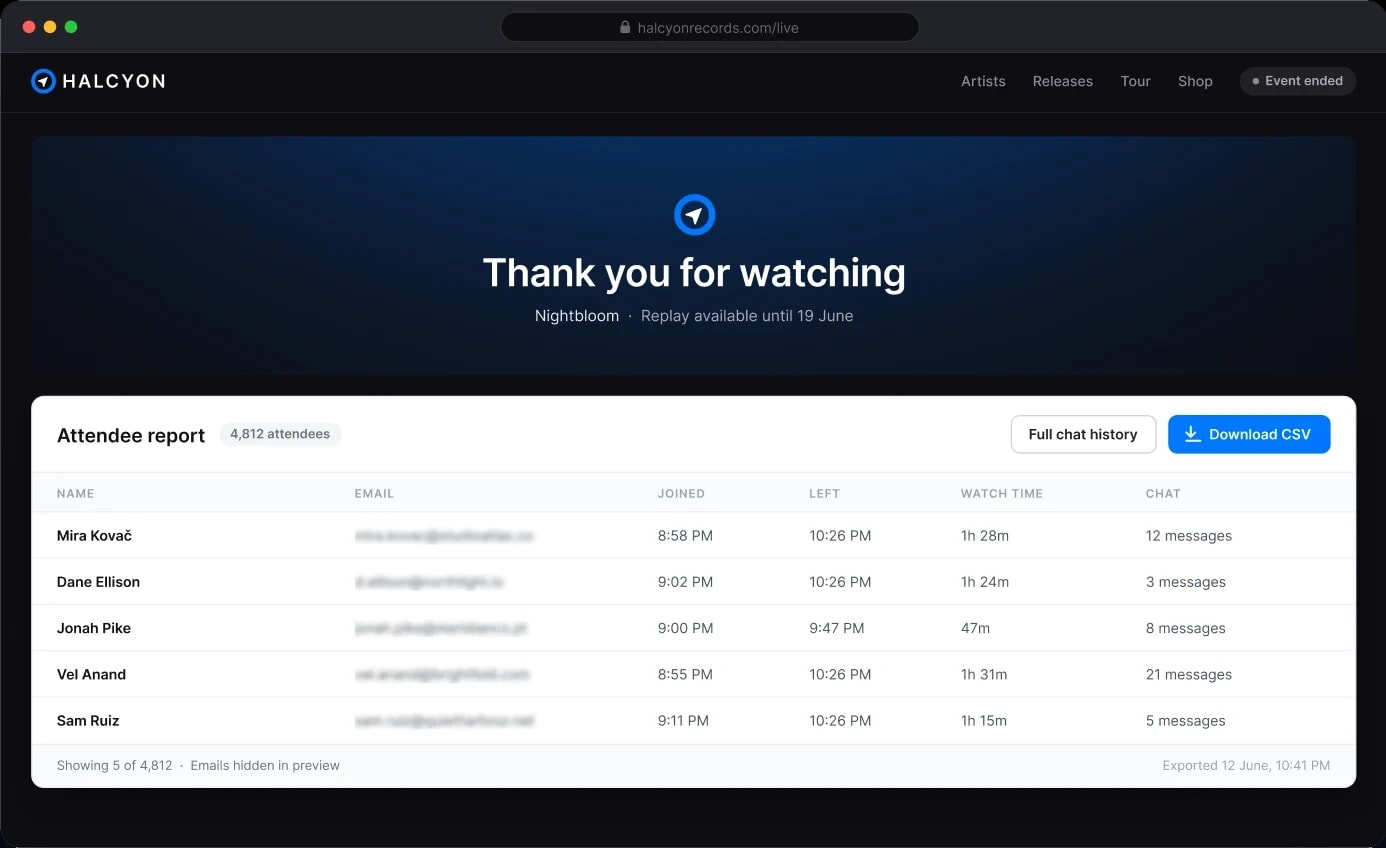
The event ends. The data doesn't. A branded closing screen, plus a downloadable report with names, emails, join and leave times, and full chat history.
Pricing
Pricing is based on two numbers: how many people attend, and how long the event runs.
No subscription, no hidden fees, no commitment that outlives the applause. Run one flagship event a year or one every week. Either way, you pay for exactly what you use.
Pay per event
$600
One event at 1,000 concurrent viewers over 3 hours, at $0.20 per viewer per hour.
$0.20 per concurrent viewer per hour, $20 minimum. Billed once, after the event. No subscription and no seats.
Get an exact quote